
Customer Panel

Everything Your Customers Need, In One Powerful Panel.

Give customers a complete self-service experience to book rides, manage trips, track drivers, make payments, access invoices, receive notifications, and manage their account — from any device.

A Complete Customer Experience Beyond Booking

Browse each part of the Customer Panel below — from the dashboard to payments, support and mobile access.

Dashboard

A Dashboard Built Around Every Customer’s Next Ride

The dashboard gives customers the information they care about most, the moment they sign in.
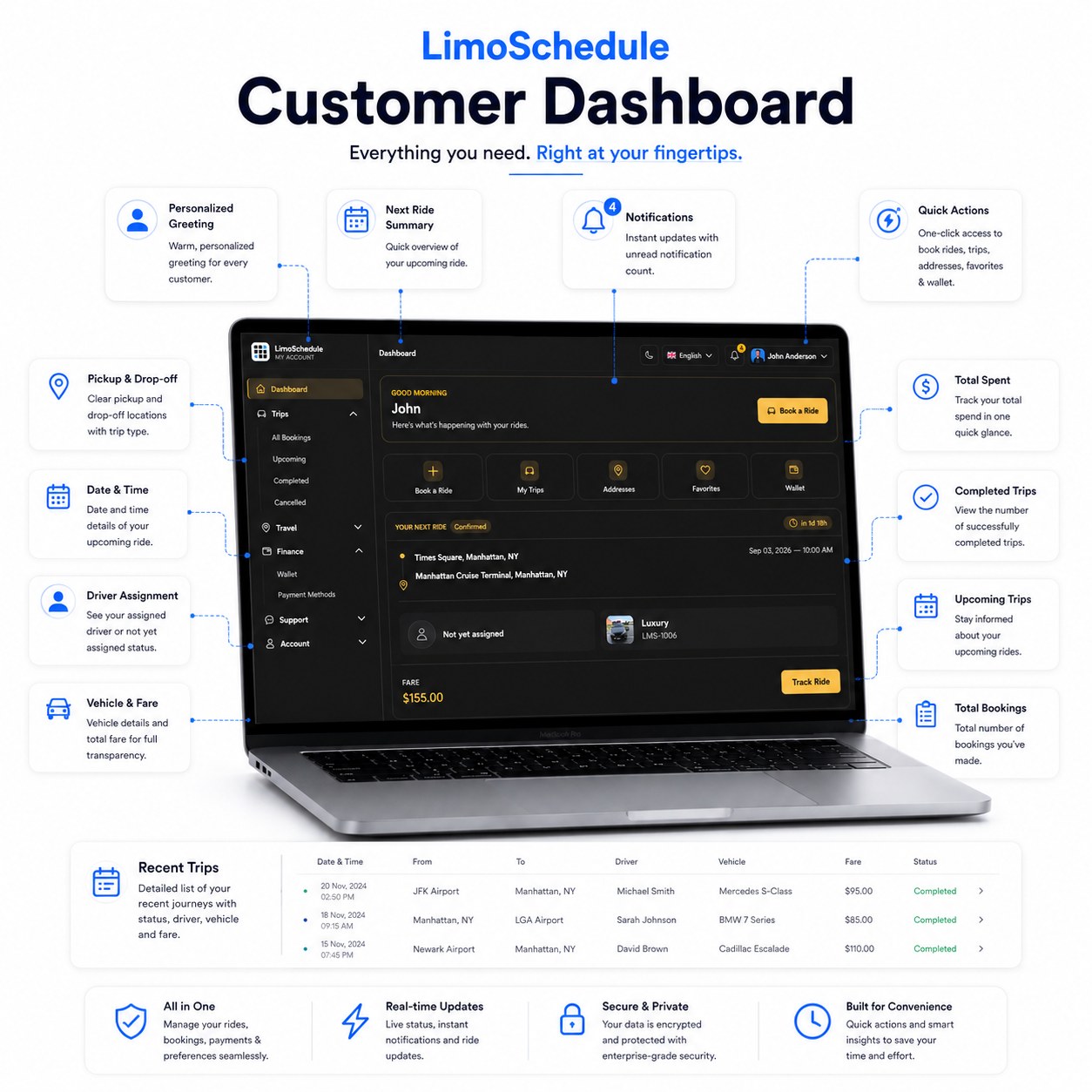
Next Ride Summary
Assigned Driver
Total Spent
Completed Trips
Upcoming Trips
Recent Trips List
Quick Actions
Notification Count
LimoSchedule customer dashboard with next ride summary, spend, trips and quick action tiles
Profile & Preferences

Personalized To Every Customer

Customers manage their personal information and preferences from their own account.
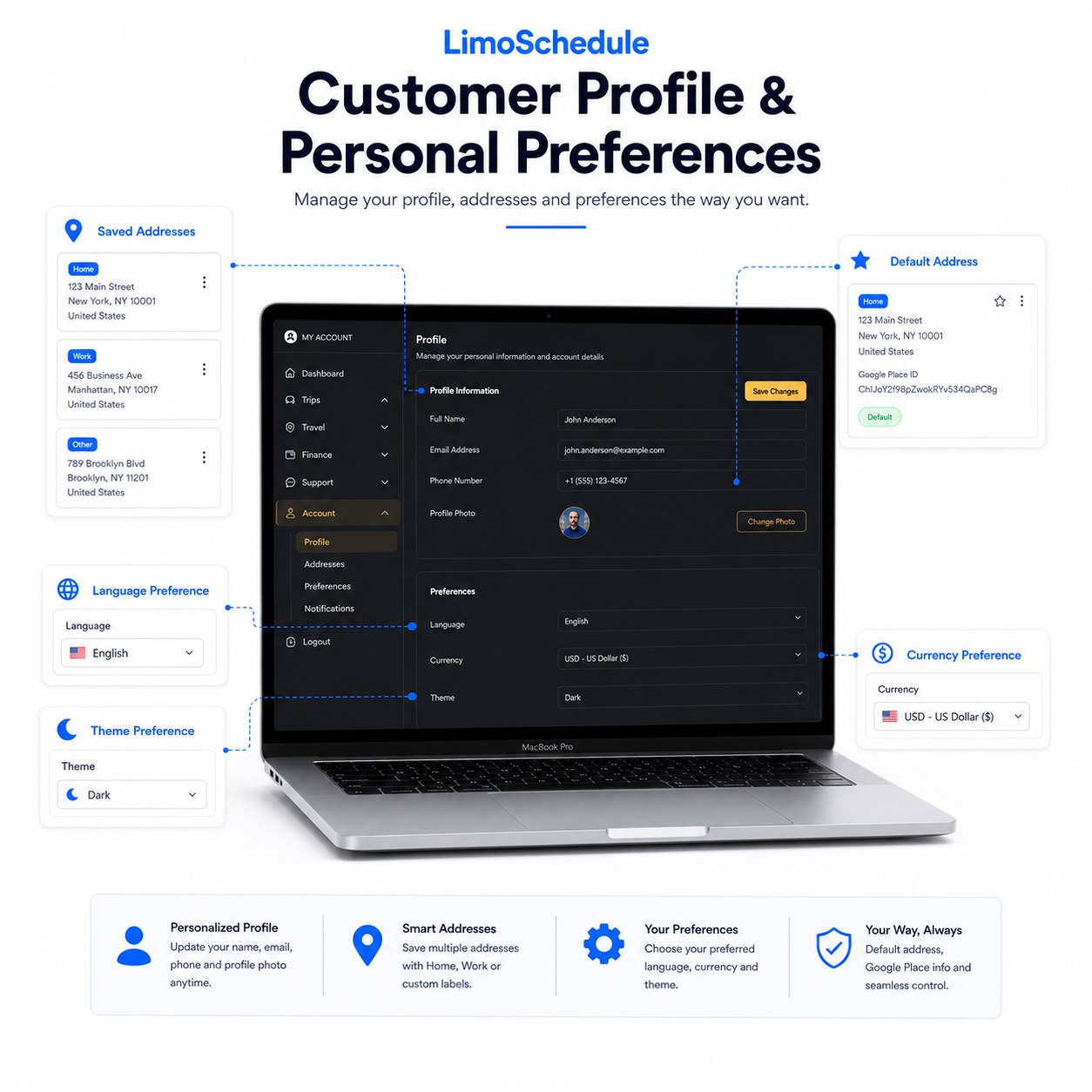
Name, Email & Phone
Profile Photo
Saved Addresses
Home / Work Labels
Default Address
Language
Currency
Light / Dark Theme
LimoSchedule customer profile page with saved addresses, default address and preferences
Booking Management

Complete Control Over Every Booking

Customers manage their entire booking history — from creating a ride to completion or cancellation.
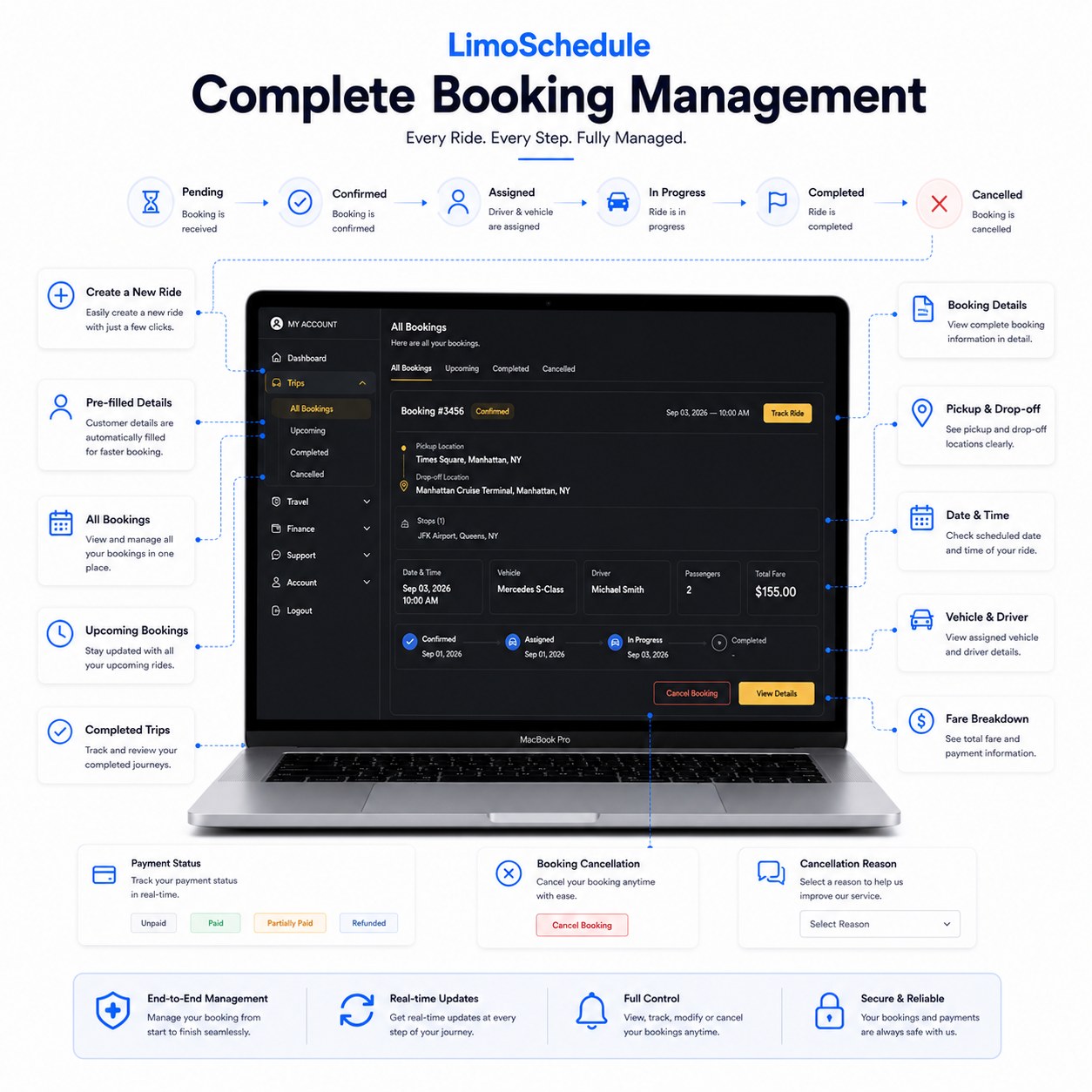
Pending
Confirmed
Assigned
In Progress
Completed
New Booking
Booking Details
Pickup, Drop-off & Stops
Fare Breakdown
Payment Status
Cancellation with Reason
Shareable Payment Link
Or Cancelled Anytime
LimoSchedule booking management showing all bookings, booking details and cancellation options
Live Dispatch

Know When Your Driver Is Getting Close

Live dispatch information appears inside the booking details, once a driver is assigned.
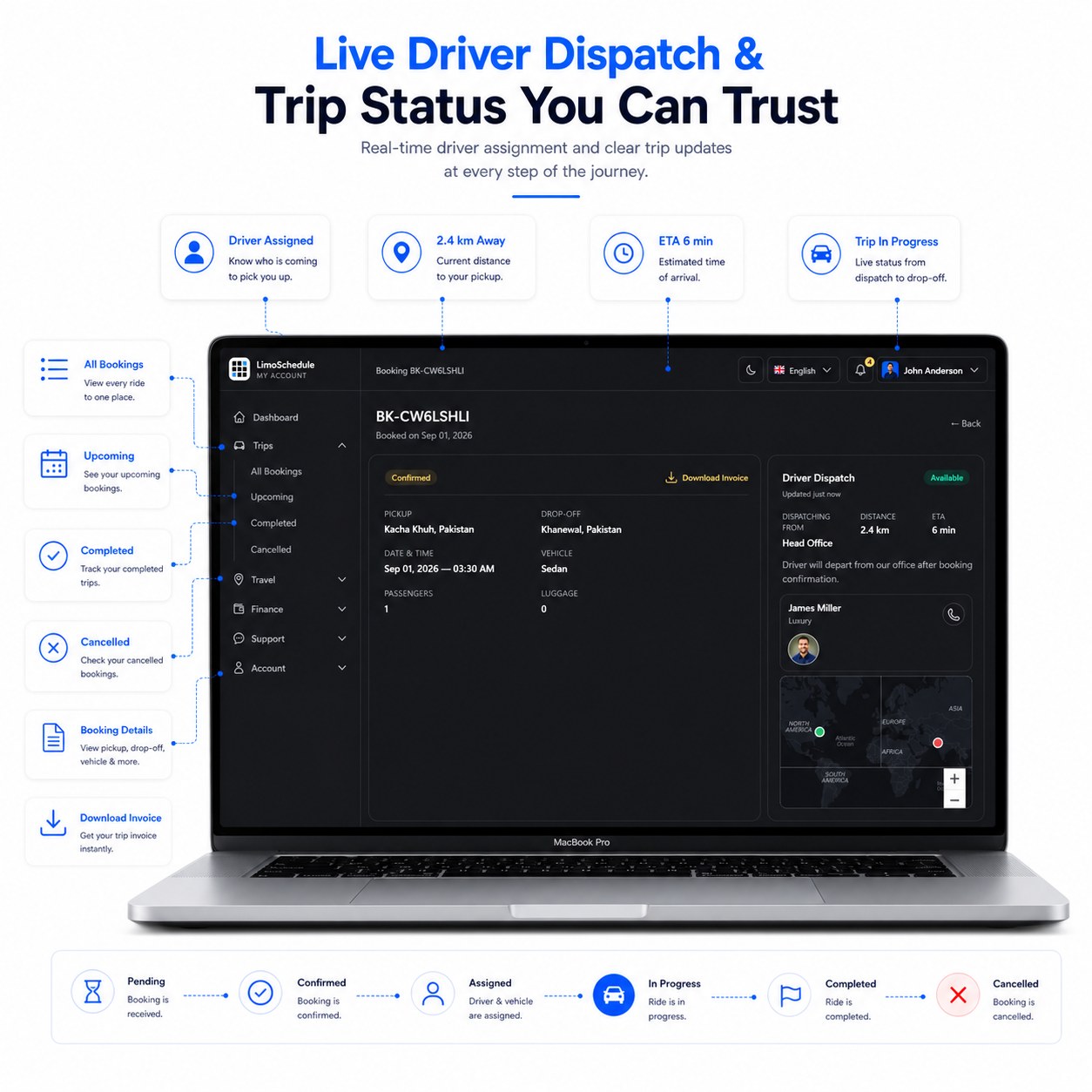
Assigned Driver Name
Driver Photo & Phone
Distance to Pickup
Estimated Arrival Time
Real distance and time-to-arrival numbers — not an animated map with a moving vehicle marker.
LimoSchedule live driver dispatch showing distance to pickup and estimated arrival time
Payments & Wallet

Flexible Payment & Balance Management

Stripe, PayPal, a shareable payment link, and a standalone wallet and loyalty balance.
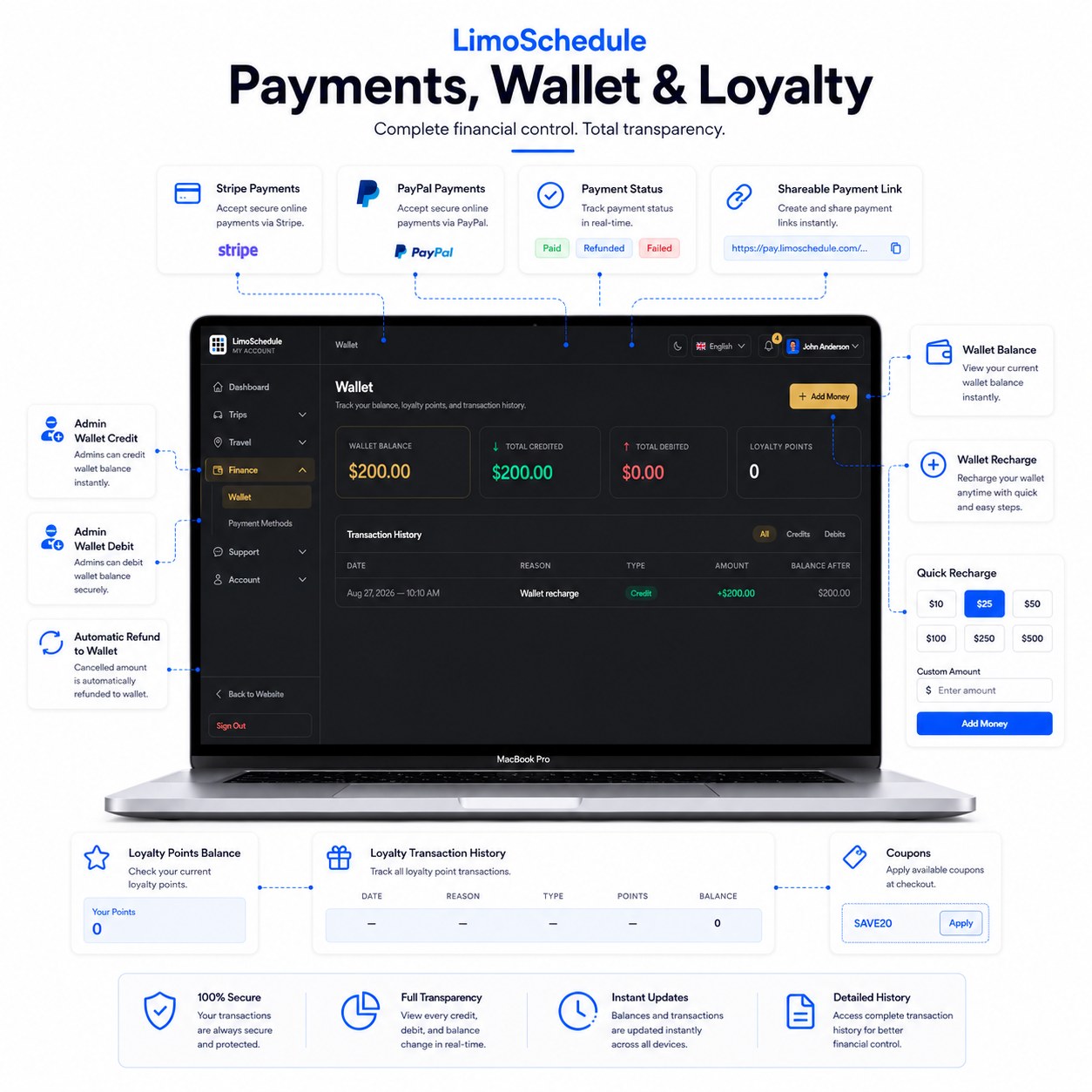
Stripe & PayPal
Shareable Payment Link
Wallet Balance & Recharge
Auto-Refund to Wallet
Loyalty Points History
Coupon Codes
Wallet is a standalone balance, not yet usable at checkout. Loyalty points are admin-managed, not auto-earned/redeemed.
LimoSchedule payments, wallet and loyalty points page with balance and transaction history
Invoices

Professional Invoices, Ready When Needed

Customers can forward invoices to employers or third parties for expense reporting.
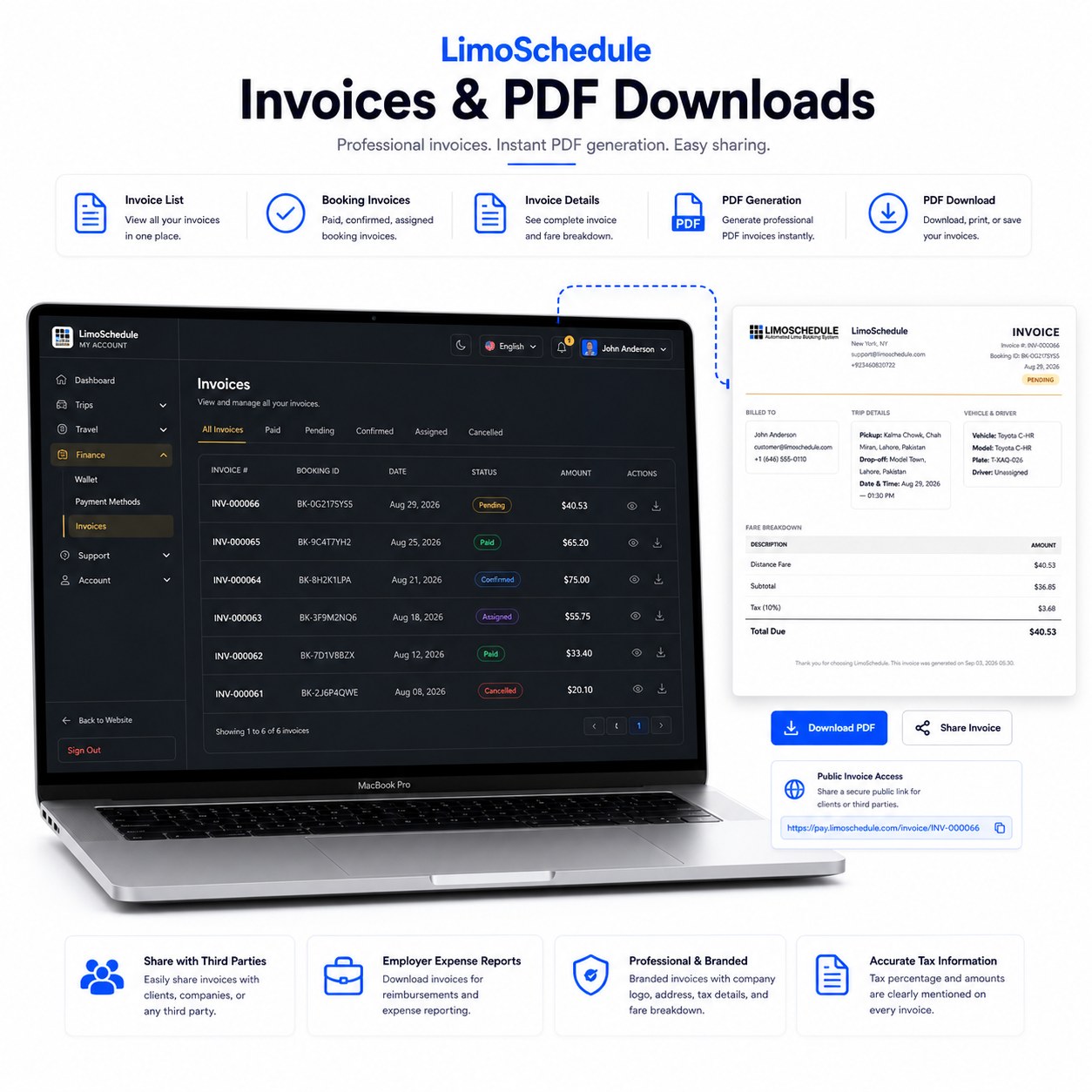
Invoice List
PDF Download
Company Info & Tax
Public Invoice Access
Shareable Invoice Link
Fare Breakdown
LimoSchedule invoice list with a branded PDF invoice showing fare breakdown and tax
Notifications

Never Miss an Important Update

Browser push, in-app center and email updates — enabled directly from the panel.
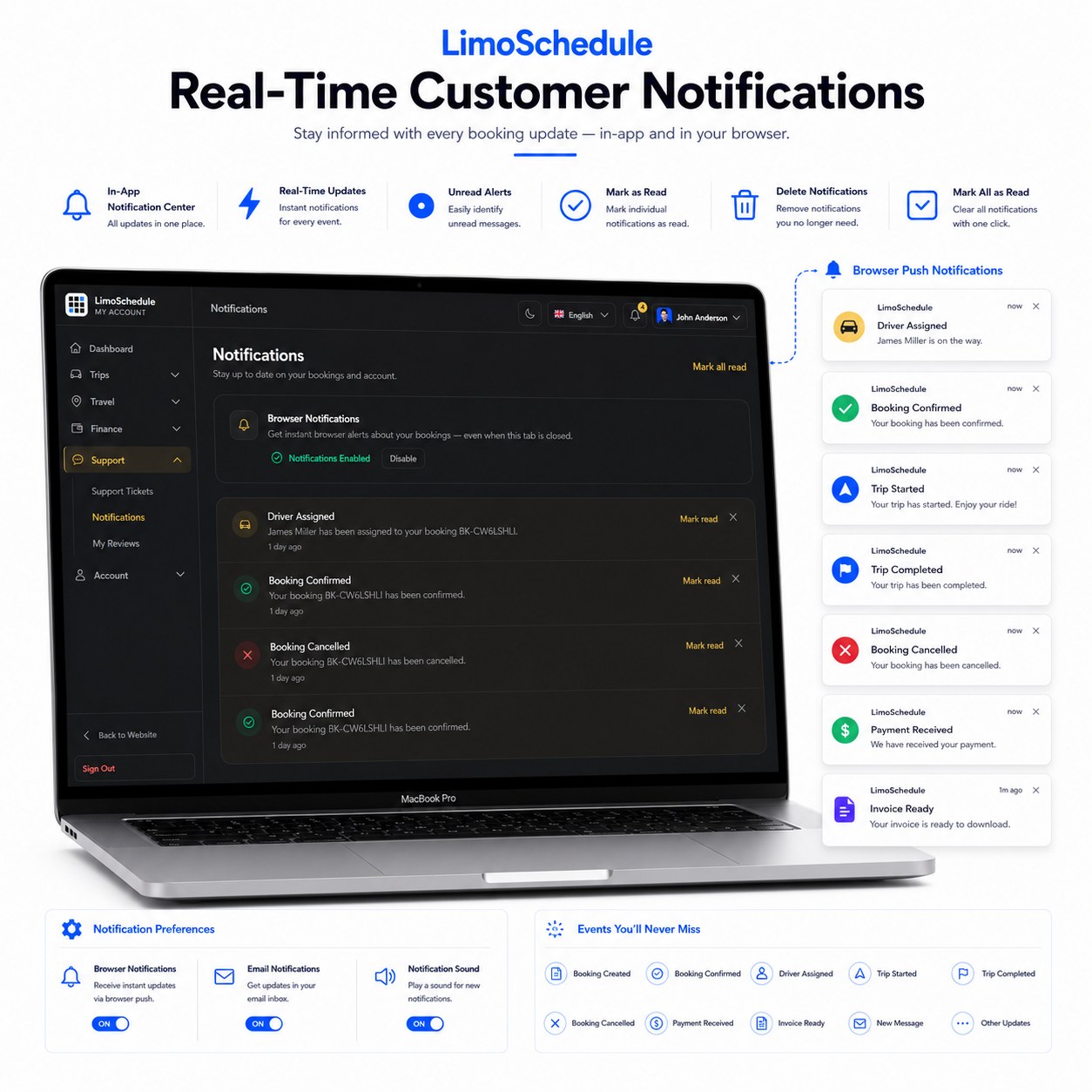
Booking Created Driver Assigned Trip Started Trip Completed Payment Received Invoice Ready
LimoSchedule customer notification center with browser push notifications for booking events
Support

Support When Your Customers Need It

A support ticket and message-thread system — not live chat.
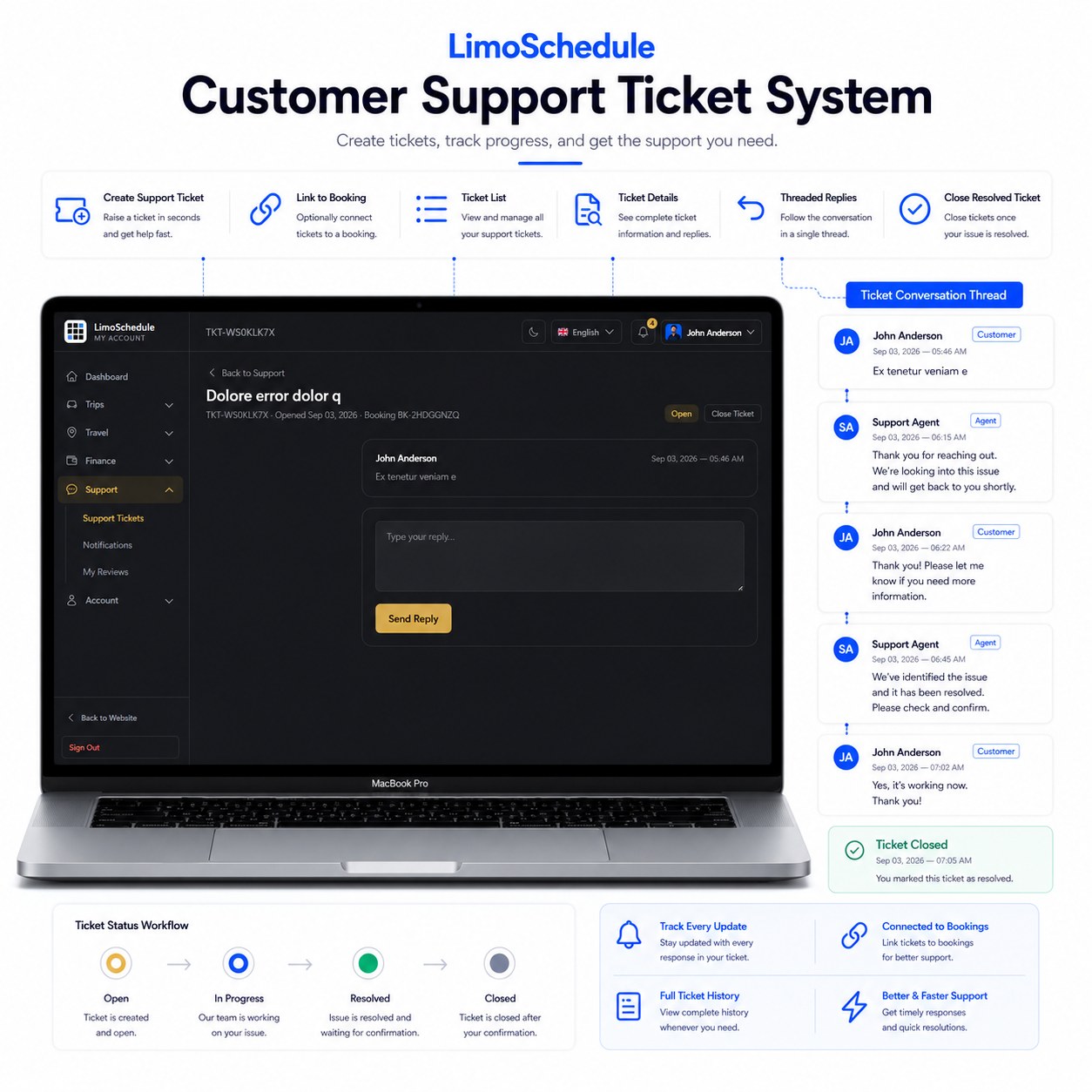
Open
In Progress
Closed
LimoSchedule customer support ticket with a threaded conversation between customer and support agent
Security

More Control Over Account Security

A clean, security-focused area separate from general account settings.
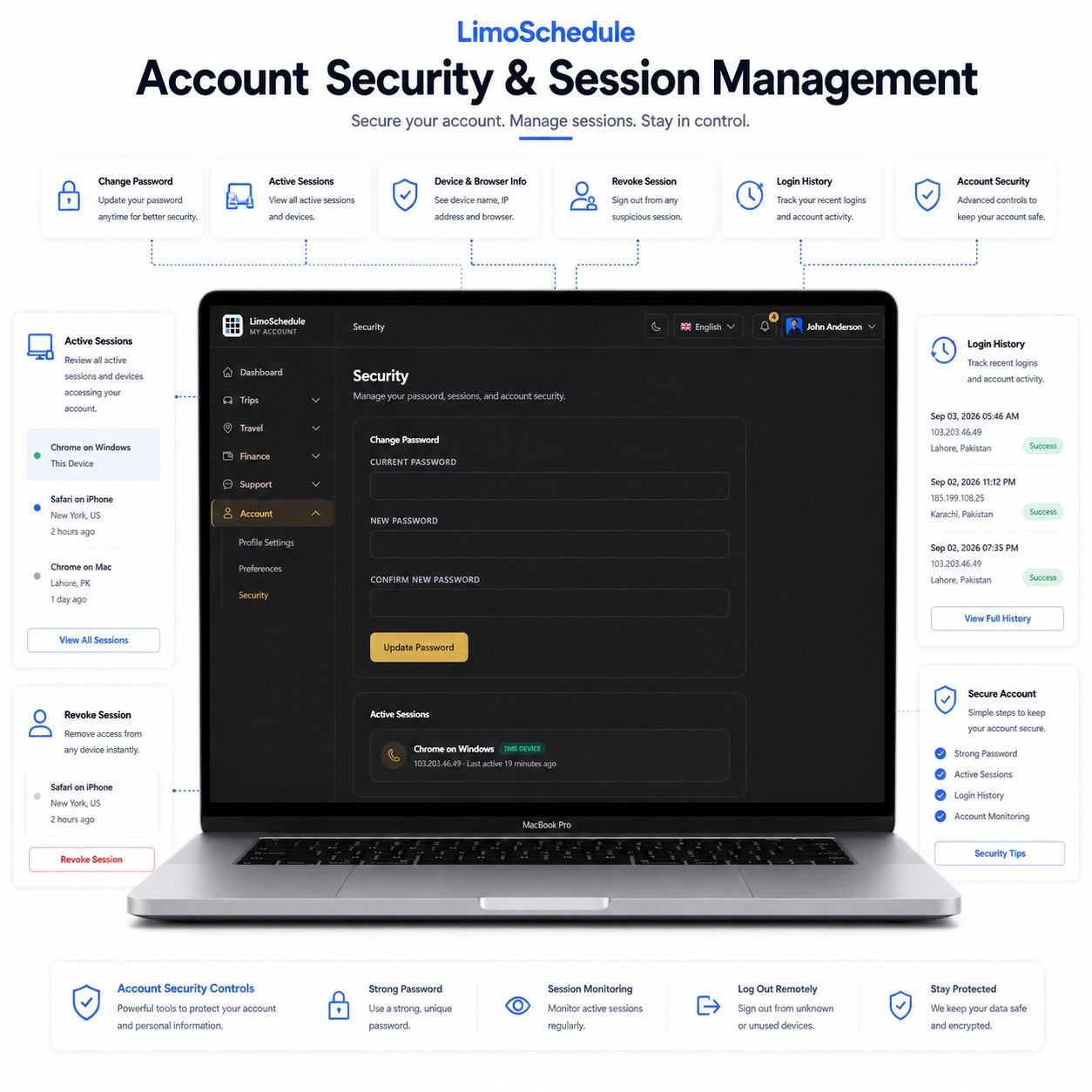
Change Password
Active Session List
Device / Browser Info
Revoke Individual Session
Sign Out All Others
Login History
LimoSchedule account security page with active sessions, login history and password change
Settings

Preferences That Adapt To Every Customer

Preferences are saved per customer account, independent of the public website’s own settings.
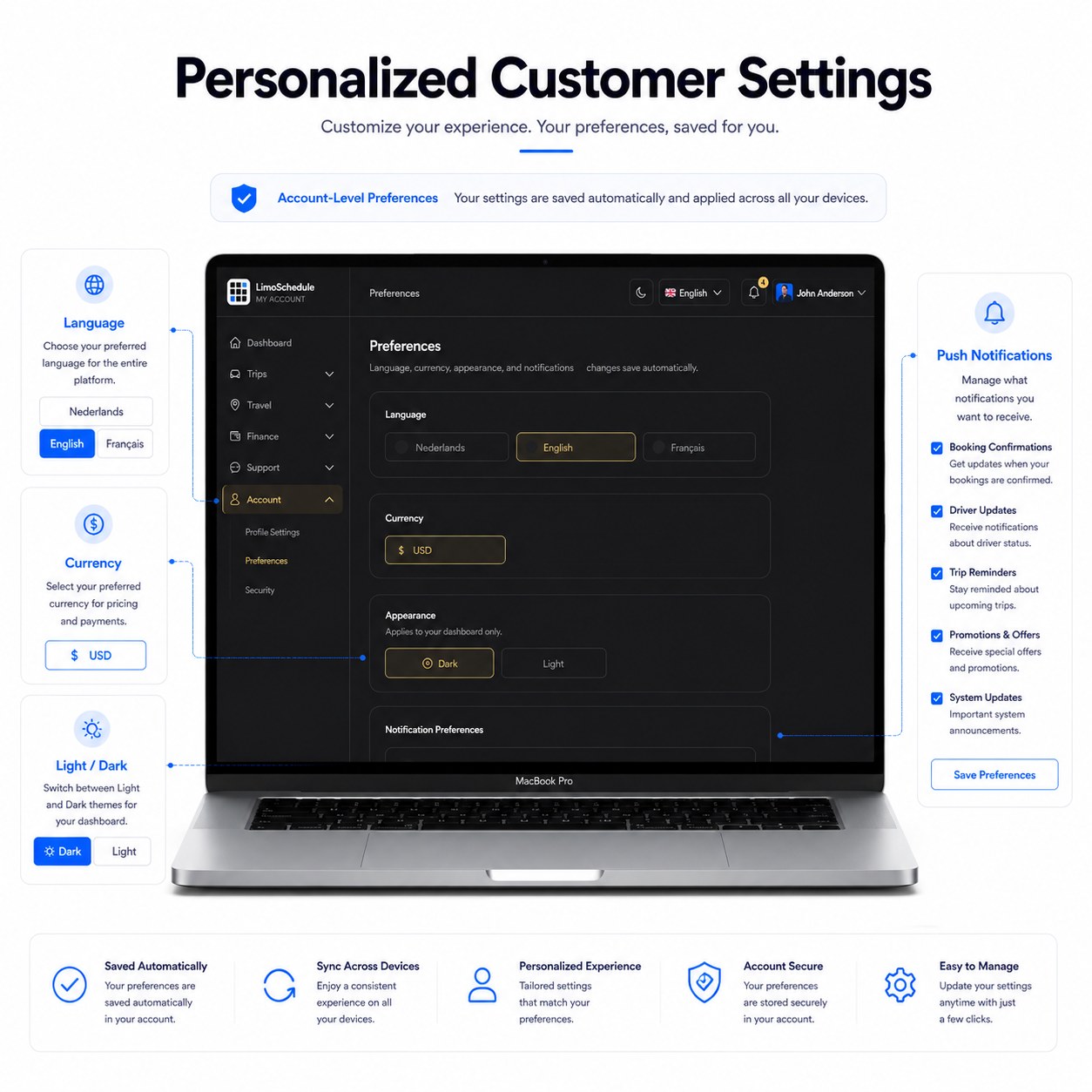
Language
Currency
Light / Dark Theme
Push Notification Prefs
LimoSchedule personalized customer settings for language, currency, theme and notification preferences
Mobile Experience

A Complete Panel On Every Screen

Designed as a responsive web application — consistent across desktop, tablet and mobile.
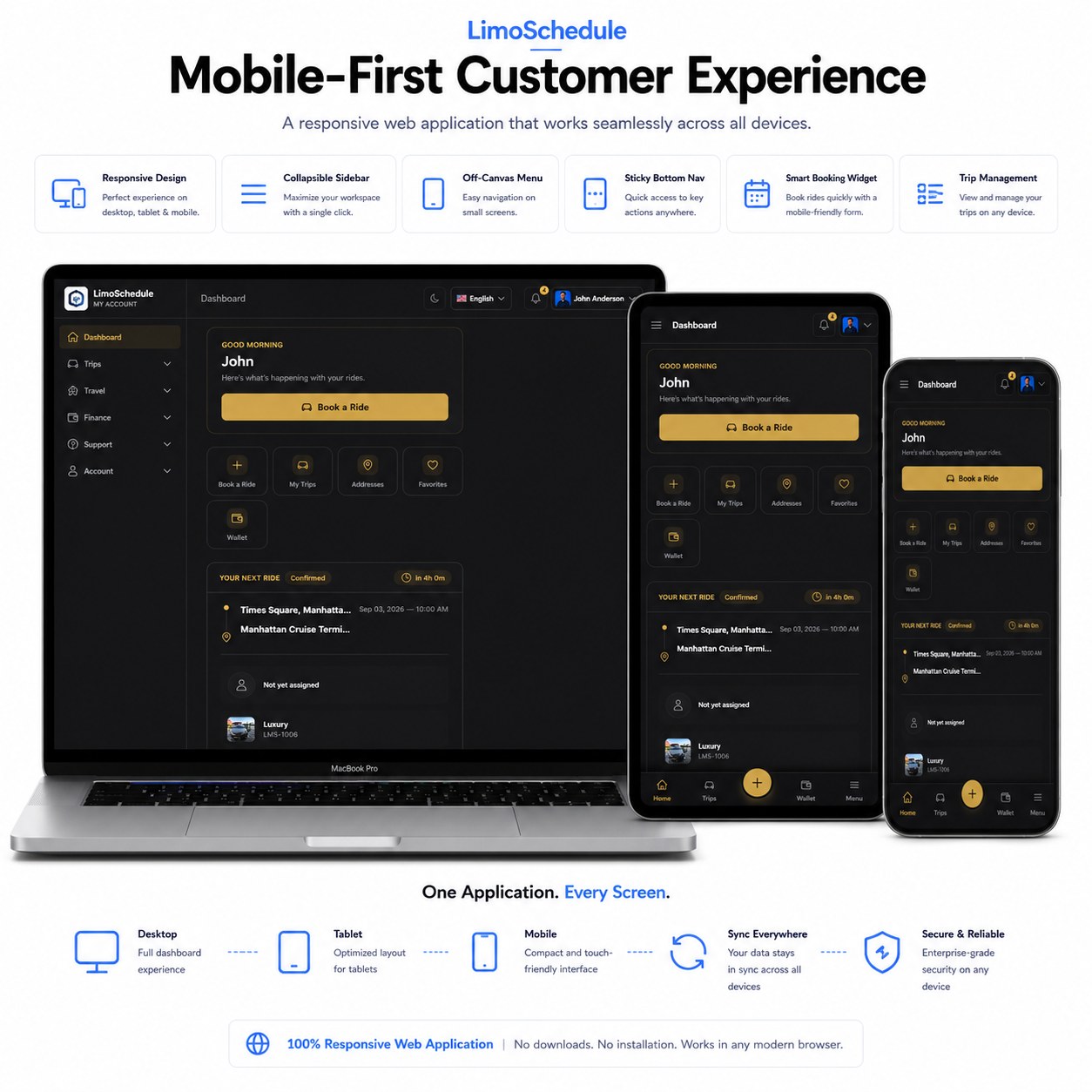
Responsive Web Application — Not a Native App
Collapsible Sidebar
Off-Canvas Menu
Sticky Bottom Nav
Mobile Booking Layout
LimoSchedule customer panel shown responsively on desktop, tablet and mobile screens
Customer Journey

One Connected Journey

From booking to completion, account management and support are available at every step.
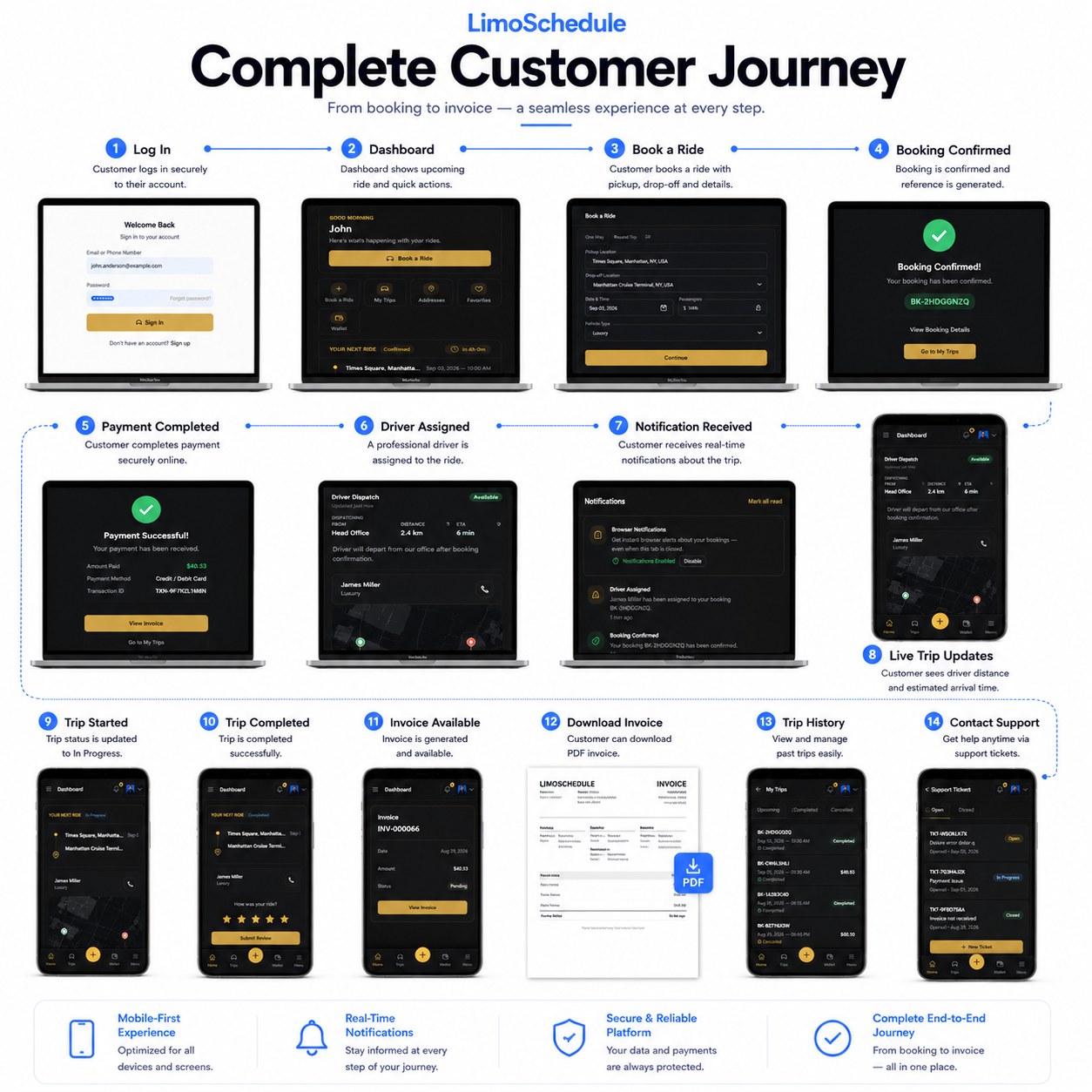
Login
Book
Pay
Driver Assigned
Trip Started
Completed
Invoice
Complete LimoSchedule customer journey from login and booking through payment, trip and invoice

Customer Panel Questions

Can customers track their driver's live location and ETA?

Yes. The Customer Panel shows live dispatch information, including distance and driver details, so customers can see their ETA in real time.

Can customers download invoices for their trips?

Yes. Every completed trip generates a PDF invoice that customers can access from their trip history in the Customer Panel.

How do customers get support if they have an issue?

Customers can raise a support ticket directly from the Customer Panel, so issues are tracked and handled without relying on phone calls.

Give Your Customers More Than A Booking Form.

Deliver a complete digital customer experience with booking management, payments, trip updates, invoices, notifications, support and account controls — all in one responsive panel.

Also see the Website, Driver Panel, and Admin Panel feature pages.

Talk to us — Instant reply